

 English
 Translate
KVM App Update
NanoKVM Go supports updating its built-in KVM App from the web control page. The KVM App is the main NanoKVM Go application responsible for web control, video capture, and keyboard and mouse control. It is not a custom App installed from the Apps page or the system image. Before updating, make sure the device is connected to the network and has obtained an IP address.
Preparation
Before updating, confirm the following:
- NanoKVM Go has booted normally;
- NanoKVM Go is connected to a network with Internet access;
- NanoKVM Go has obtained an IP address through DHCP or static IP configuration;
- the computer and NanoKVM Go are on mutually reachable networks;
- the browser can open the NanoKVM Go web control page.
Open the Control Page
- Open a browser.
- Enter the NanoKVM Go IP address in the address bar.
- Open the NanoKVM Go web control page.
- If the page asks you to log in, log in first.
Open the Settings Page
On the top menu bar of the control page, click Settings to open the settings page.

Check for Updates
On the settings page, click Check for updates.
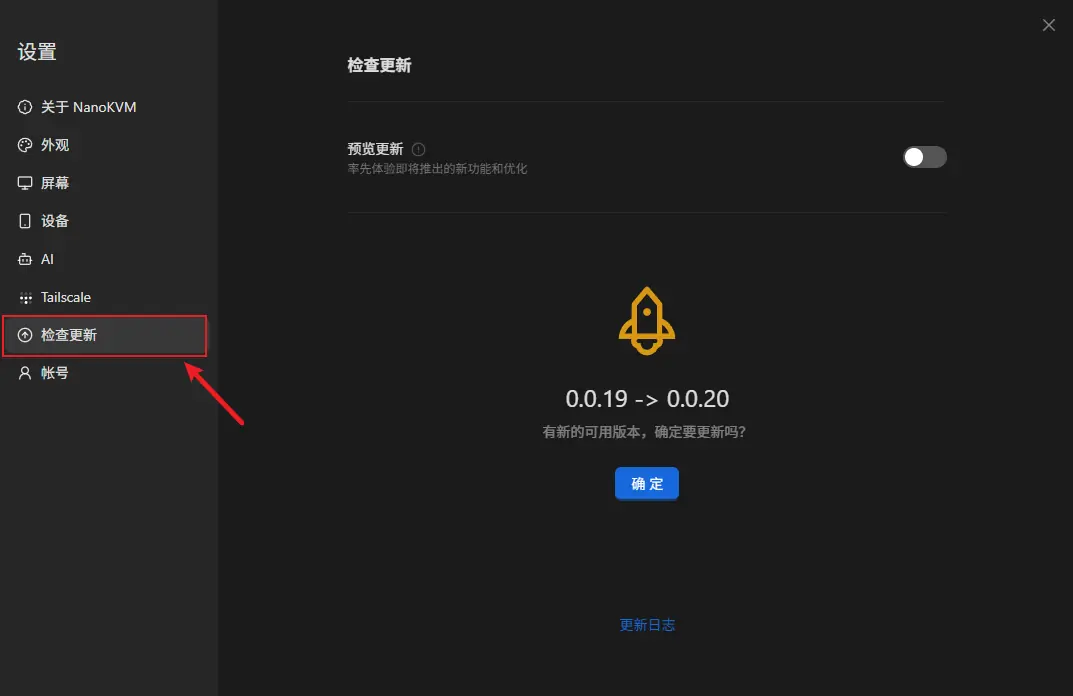
If an update is available, a confirmation dialog is displayed. Click OK to start the update.
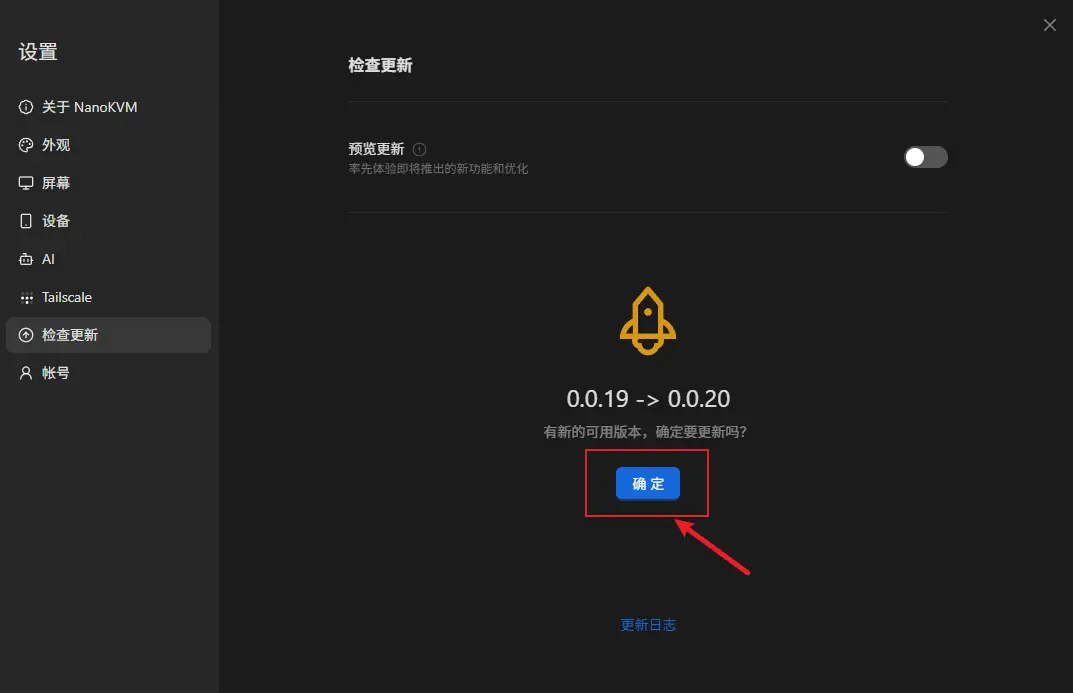
Wait for the Update to Complete
After clicking OK, keep NanoKVM Go powered on and connected to the network, then wait for the KVM App update to complete.
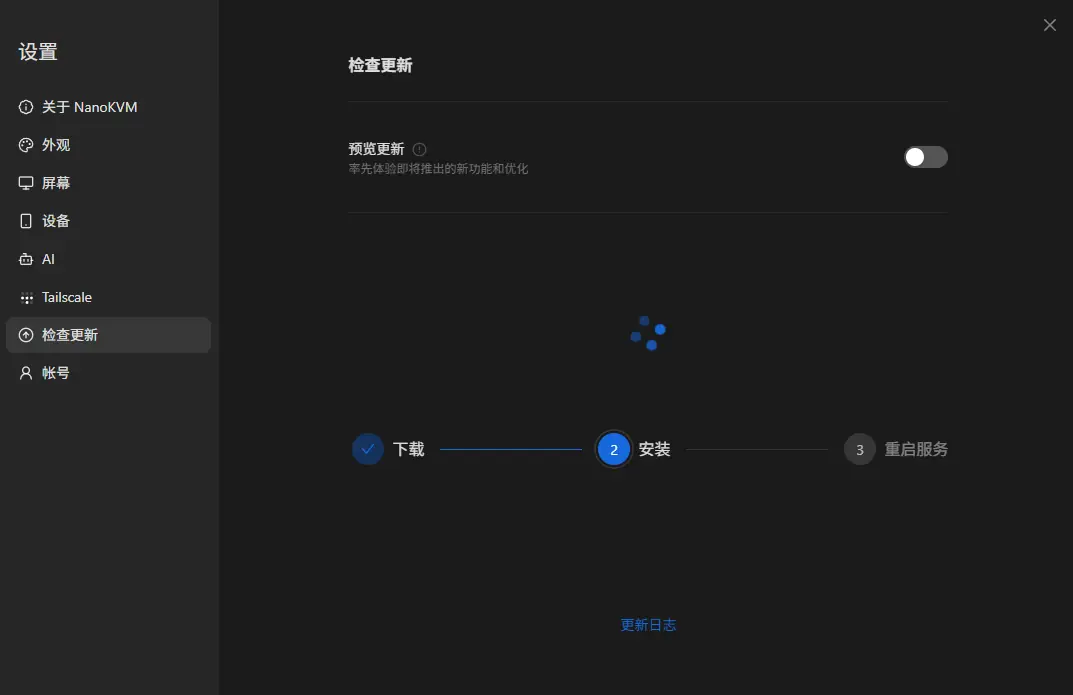
Do not power off the device during the update, and do not refresh or close the page. After the update is complete, follow the instructions on the page. If the page refreshes automatically or returns to the login page, log in again.
Update Complete
After the update is complete, you can continue accessing NanoKVM Go from the browser and use the remote control functions normally.