
 English

224x224: 15fps






English | 中文
MaixPy-v1 (K210) usage refer to MaixPy-v1. MaixPy v4 does not support Maix-I Maix-II series hardware, please upgrade to the MaixCAM platform.
If you like MaixPy, please give a star ⭐️ to the MaixPy open source project to encourage us to develop more features.
from maix import camera, display, image, nn

classifier = nn.Classifier(model="/root/models/mobilenetv2.mud")
cam = camera.Camera(classifier.input_width(), classifier.input_height(), classifier.input_format())
disp = display.Display()

while 1:
    img = cam.read()
    res = classifier.classify(img)
    max_idx, max_prob = res[0]
    msg = f"{max_prob:5.2f}: {classifier.labels[max_idx]}"
    img.draw_string(10, 10, msg, image.COLOR_RED)
    disp.show(img)
Serial Communication:
from maix import uart

devices = uart.list_devices()

serial = uart.UART(devices[0], 115200)
serial.write_str("hello world")
print("received:", serial.read(timeout = 2000))
I2C Communication:
from maix import i2c

devices = i2c.list_devices()
dev1 = i2c.I2C(devices[0], freq=100000)
slaves = dev1.scan()
print("find slaves:", slaves)
dev1.writeto(0x12, b'hello')
print("received:", dev1.readfrom(0x12, 5))
Simplify the development environment to make development easier and faster
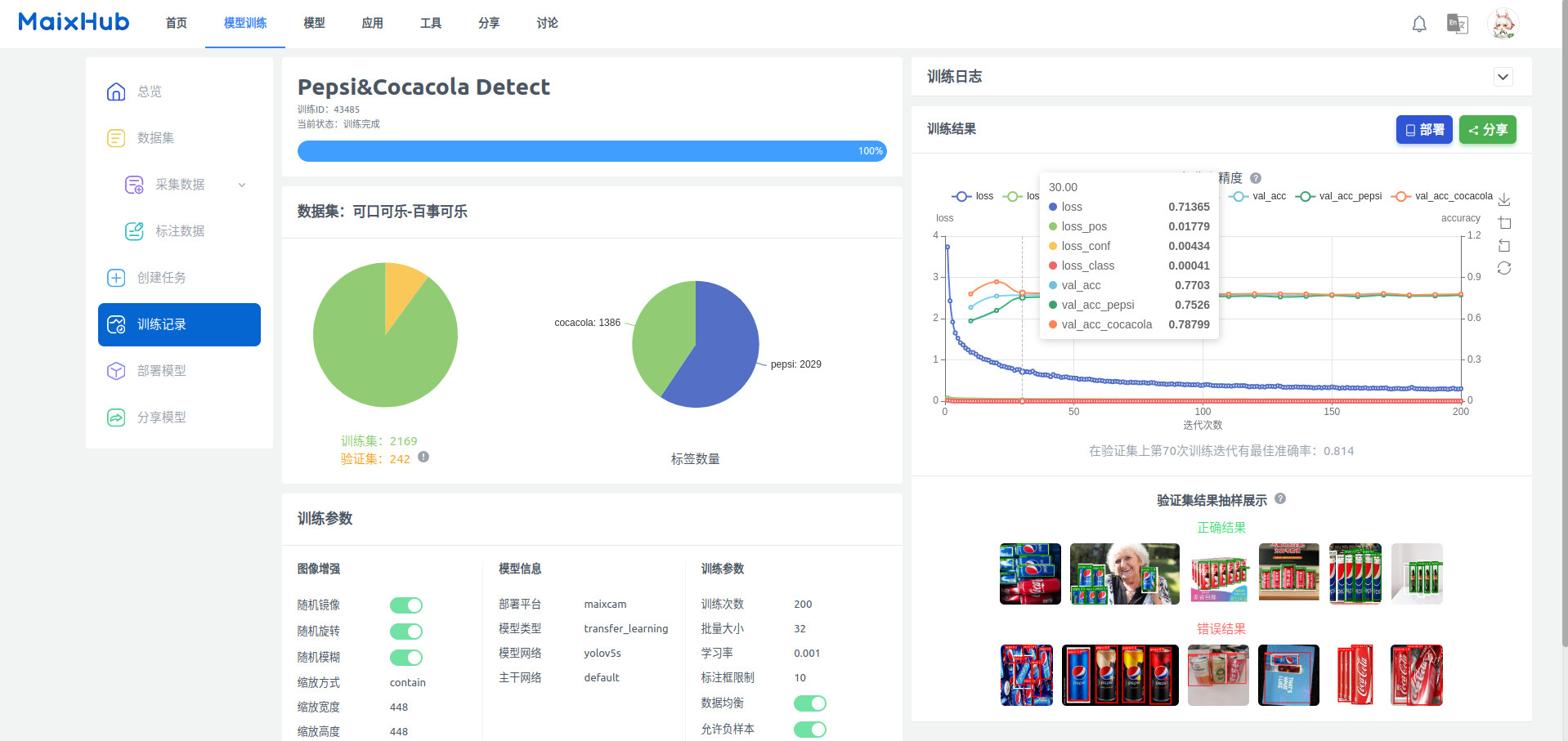
No need for AI expertise or expensive training equipment, train models with one click, deploy to MaixCAM with one click.
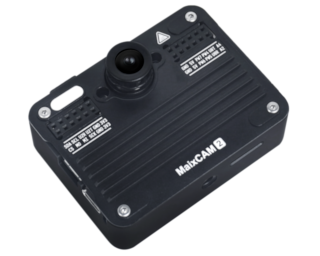
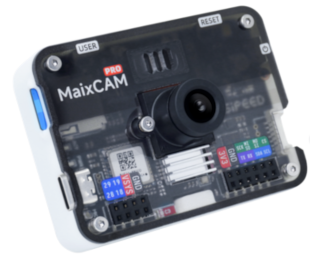
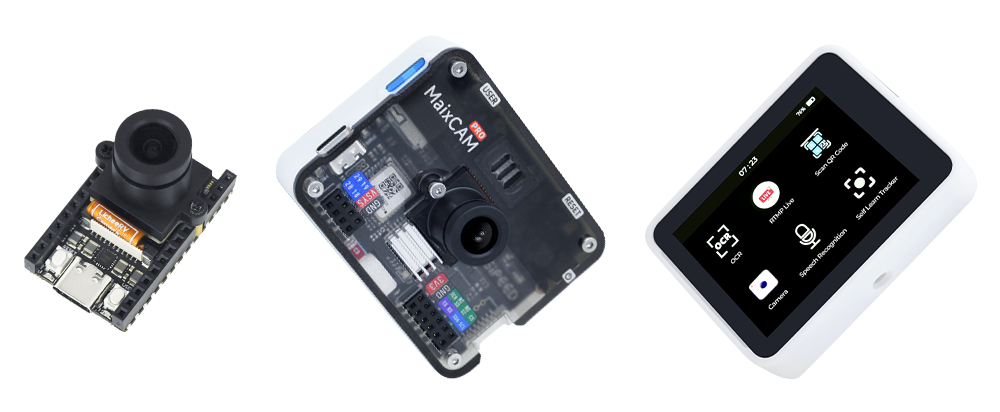
Currently, there are two generations of hardware products: MaixCAM / MaixCAM-Pro and MaixCAM2, offering different options in terms of performance, accessories, and appearance.
A detailed performance comparison provided later.
Here are some feature highlights, find more in the Community
You can create new features using the rich API provided by MaixPy.
(Only MaixCAM2 support LLM/VLM related functions)
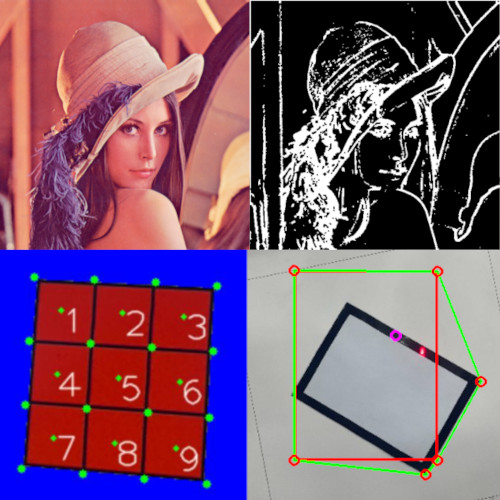
OpenCV + OpenMV
Supports OpenCV, compatible with OpenMV
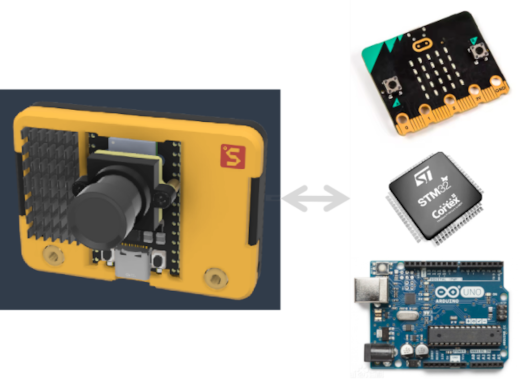
As a Serial Module
Control other MCUs via serial commands
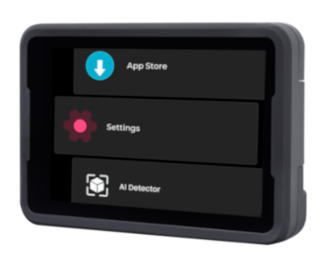
APP Store
Share your apps with the community and install them with one click via the APP Store.
AI Classification
Identify object categories
AI Object Detection
Identify object categories and coordinates
AI Face Recognition
Recognize different facial features, emotion recognition
AI Face Landmarks
Detect face landmarks, replace face
AI Body Keypoint Detection
Posture recognition, body-sensing games
AI Hand keypoints
Detect hand keypoints and recognize gesture
AI Self-learning Classifier
Instantly learn any object on the device without PC training
AI Self-learning Detector
Instantly learn any object on the device without PC training
AI Object Tracking
Track objects, count traffic
AI Surveillance, Streaming
Security monitoring, streaming, even live stream to platforms like Bilibili.com
Color Detection
Detect color spots
Line Following
Line-following car, logistics transportation
QR Code and AprilTag
Recognize QR codes and AprilTag
OCR
Recognize characters in images, digitize old items
mono depth estimation
mono camera depth estimation

Voice Recognition
Real-time continuous voice recognition
TTS
TTS generation, support muti-language
Offline LLM
Fully offline LLM
LLM VLM
Fully offline VLM
Desktop Monitor
Monitor PC information such as CPU, memory, and network.

Weather Station
Monitor weather information such as temperature and humidity.
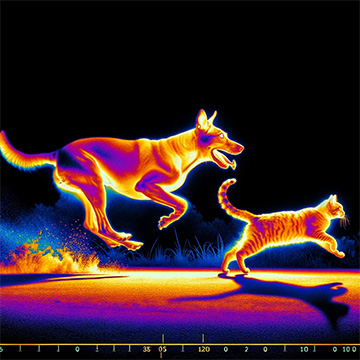
Thermal Infrared Camera
Optional camera, for temperature image acquisition/measurement
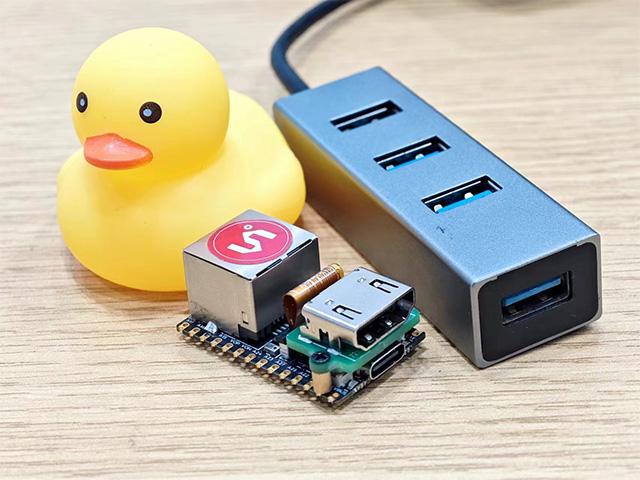
HDMI Video Capture
Optional feature, capture images via HDMI for server monitoring (KVM), remote control, external AI, streaming devices, etc.
Large Screen Video Playback
Multiple screen sizes (2.3", 2.4", 5", 7", etc.), hardware decoding support
Microscope
Pair with 1/8" large sensor + microscope lens = digital microscope
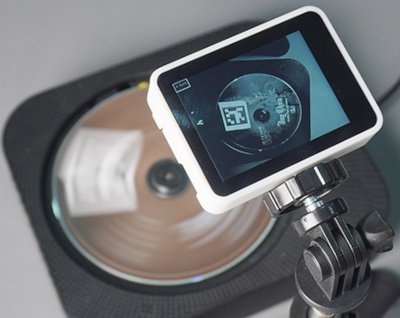
High-Speed Recognition
Pair with a global shutter camera to accurately recognize high-speed moving objects
Time-lapse Photography
Pair with a 1/8" large sensor for all-day time-lapse photography
Astronomical Photography
Pair with a 1/8" large sensor + high-power lens for astronomical photography, supports long exposure mode and RAW image output
Gyroscope Stabilization
Onboard gyroscope, supports exporting gyroflow stabilization format for DIY photography
TOF module
Detect depth with TOF module
Easy-to-use API to access NPU, open-source quantization tools, detailed documentation on AI models.
Easy-to-use API, PC tools, online AI training services, allowing you to focus on teaching AI instead of hardware and complex software development.
Rich, simple Python and C++ APIs, quick to get started, complete your DIY projects in just minutes.
Rich Python and C++ APIs, efficient, stable, and easy to use, helping you quickly create prototypes and implement projects directly.
Offers rich documentation, tutorials, and open-source code, helping you find learning paths and gradually grow, from simple Python programming to vision, AI, audio, Linux, RTOS, etc.
Use MaixPy or even graphical programming to reduce the number of employees and time. For example, adding an AI QA system to the production line, or an AI security monitor to the office.
MaixPy integrates many features, is easy to use, speeds up the output of your work, and helps you win competitions in a short time. Many students use MaixPy to win common competitions in China.
Compared to the limited NPU operator support and memory constraints of the previous two generations of Maix series products (K210, V831), MaixCAM offers significant improvements in performance and experience while maintaining an excellent price-performance ratio.
| Feature | Maix-I K210 | MaixCAM | MaixCAM2 |
|---|---|---|---|
| CPU | 400MHz RISC-V x2 | 1GHz RISC-V(Linux) 700MHz RISC-V(RTOS) 25~300MHz 8051(Low Power) |
1.2GHz A53 x2(Linux) RISC-V 32bit E907(RTT) |
| Memory | 6MB SRAM | 256MB DDR3 | 1GB / 4GB LPDDR4 |
| NPU | 0.25Tops@INT8 official says 1T but... |
1Tops@INT8 | 3.2Tops@INT8 12.8Tops@INT4 |
| Encoder | ❌ | 2880x1620@30fps H.254/H.265/JPEG | 3840*2160@30fps H.254/H.265/JPEG |
| Decoder | ❌ | 2880x1620@30fps H.264/JPEG | 1080p@60fps H.264/JPEG |
| Screen | 2.4" 320x240 | 2.3" 552x368(MaixCAM) 2.4" 640x480(MaixCAM-Pro) 5" 1280x720 7" 1280x800 10“ 1280x800 |
2.4" 640x480 |
| Touchscree | ❌ | 2.3" 552x368/2.4" 640x480 | 2.4" 640x480 |
| Camera | 30W | 500W(5M) | 800W(8M) |
| AI ISP | ❌ | ❌ | ✅ |
| WiFi | 2.4G | WiFi6 2.4G/5G | WiFi6 2.4G/5G |
| BLE | ❌ | BLE5.4 | BLE5.4 |
| USB | ❌ | USB2.0 | USB2.0 |
| Ethernet | ❌ | 100M(Optional) | 100M(on board FPC, can convert to RJ45 module) |
| SD Card | SPI | SDIO | SDIO |
| OS | RTOS | Linux(BuildRoot) + RTOS | Linux(Ubuntu) + RTT |
| Porgraming Language | C / C++ / MicroPython | C / C++ / Python3 | C / C++ / Python3 |
| SDK | MaixPy-v1 | MaixCDK + MaixPy v4 + opencv + numpy + ... Pure Python package or cross-compile manually |
MaixCDK + MaixPy v4 + opencv + numpy + scipy + ... Many AArch64 pre-compiled packages, and support compile on board |
| PC Software | MaixPy IDE | MaixVision Workstation | MaixVision Workstation |
| Documentation | ⭐️⭐️⭐️⭐️ | 🌟🌟🌟🌟🌟 | 🌟🌟🌟🌟🌟 |
| Online AI train | ⭐️⭐️⭐️ | 🌟🌟🌟🌟🌟 | 🌟🌟🌟🌟🌟 |
| Official APPs | ⭐️ | 🌟🌟🌟🌟🌟 | 🌟🌟🌟🌟🌟 |
| Ease of use | ⭐️⭐️⭐️⭐️ | 🌟🌟🌟🌟🌟 | 🌟🌟🌟🌟🌟 |
| AI classify(224x224) | MobileNetv1 50fps MobileNetv2 ❌ Resnet ❌ |
MobileNetv2 130fps Resnet18 62fps Resnet50 28fps |
MobileNetv2 1218fps Resnet50 200fps |
| AI detect | YOLOv2: 224x224: 15fps |
YOLOv5s: 224x224: 100fps 320x256 70fps 640x640: 15fps YOLOv8n: 640x640: 23fps YOLO11n: 224x224: 175fps 320x224: 120fps 320x320: 95fps 640x640: 23fps |
YOLOv5s: 224x224: 495fps 320x256: 400fps 640x480: 106fps / 73fps / 103fps 640x640: 80fps YOLO11n: 224x224: 1214fps 640x480: 168fps / 77fps / 143fps 640x640: 113fps / 56fps / 98fps YOLO11s: 640x480: 87fps / 53fps / 83fps 640x640: 62fps / 39fps / 59fps YOLO11l: 640x640: 19fps / 16fps / 19fps |
| LLM | ❌ | ❌ | Qwen/DeepSeek 0.5B(fftf: 640ms, 9 tokens/s) Qwen/DeepSeek 1.5B(fftf: 1610ms, 4 tokens/s) VLM(InterVL 1B) Mode models |
| OpenMV algorithms | test image refer to Benchmark APP |
test image refer to Benchmark APP test date: 2025.8.22,update may have optimization |
test image refer to Benchmark APP test date: 2025.8.22,update may have optimization |
Binary |
Gray 320x240: 7.4ms (135fps) Gray 640x480: ❌ RGB 320x240: 11.3ms (88.5fps) RGB 640x480: ❌ |
Gray 320x240: 3.1ms (326fps) Gray 640x480: 11ms (90fps) RGB 320x240: 13.2ms (75fps) RGB 640x480: 52.8ms (18fps) |
Gray 320x240: 1.3ms (799fps) Gray 640x480: 4.8ms (206fps) RGB 320x240: 3.4ms (294fps) RGB 640x480: 13.3ms (75fps) |
Find blobs |
320x240: 8.8ms (114fps) 640x480: ❌ |
320x240: 7ms (143fps) 640x480: 20ms (50fps) |
320x240: 3.7ms (271fps) 640x480: 11.1ms (89fps) |
1channel histogram |
320x240: 7.7ms (130fps) 640x480: ❌ |
320x240: 10.9ms (91fps) 640x480: 42.8ms (23fps) |
320x240: 1.5ms (661fps) 640x480: 5.9ms (168fps) |
QR Code |
320x240: 130.8ms (7.6fps) 640x480: ❌ |
640x480: 136.9ms (7fps) NPU acceleration: 320x240: 22.1ms (45fps) 640x480: 57.6ms (17fps) |
640x480: 57.9ms (17fps) NPU acceleration: 320x240: 9.2ms (109fps) 640x480: 23.2ms (43fps) |
| OpenCV algorithms | test image refer to Benchmark APP test date: 2025.8.22,update may have optimization |
test image refer to Benchmark APP test date: 2025.8.22,update may have optimization |
|
Binary |
❌ | Gray 320x240: 2.2ms (463fps) Gray 640x480: 7.1ms (140fps) |
Gray 320x240: 0.1ms (8174fps) Gray 640x480: 0.3ms (2959fps) |
Gray adaptive binary |
❌ | 320x240: 5.8ms (171fps) 640x480: 21.3ms (46fps) |
320x240: 1.6ms (608fps) 640x480: 6.3ms (159fps) |
1channel histogram |
❌ | 320x240: 1ms (1000fps) 640x480: 6.2ms (160fps) |
320x240: 0.4ms (2308fps) 640x480: 1.7ms (604fps) |
Find Contours |
❌ | 320x240: 2.8ms (351fps) 640x480: 8.6ms (116fps) |
320x240: 0.4ms (2286fps) 640x480: 1.4ms (692fps) |
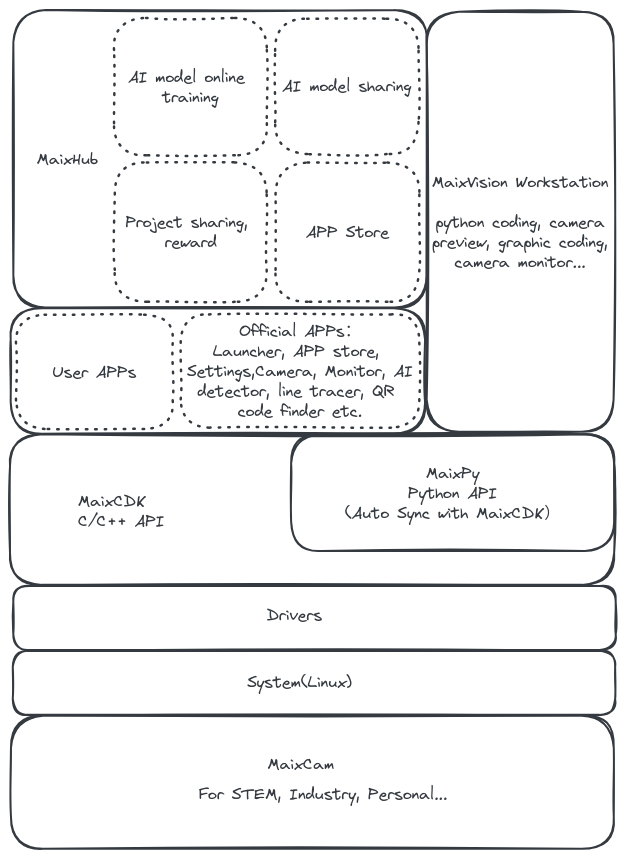
| Community | Address |
|---|---|
| Documentation | MaixPy Documentation |
| App Store | maixhub.com/app |
| Project Sharing | maixhub.com/share |
| GitHub | Search for MaixCAM or MaixPy on GitHub |
| Bilibili | Search for MaixCAM or MaixPy on Bilibili |
| Discussion | maixhub.com/discussion |
| MaixPy issues | github.com/sipeed/MaixPy/issues |
| Telegram | t.me/maixpy |
| QQ Group | 862340358 |

[include pre-post process parts(Python)] /
[dual buff mode(Python)]